Overview
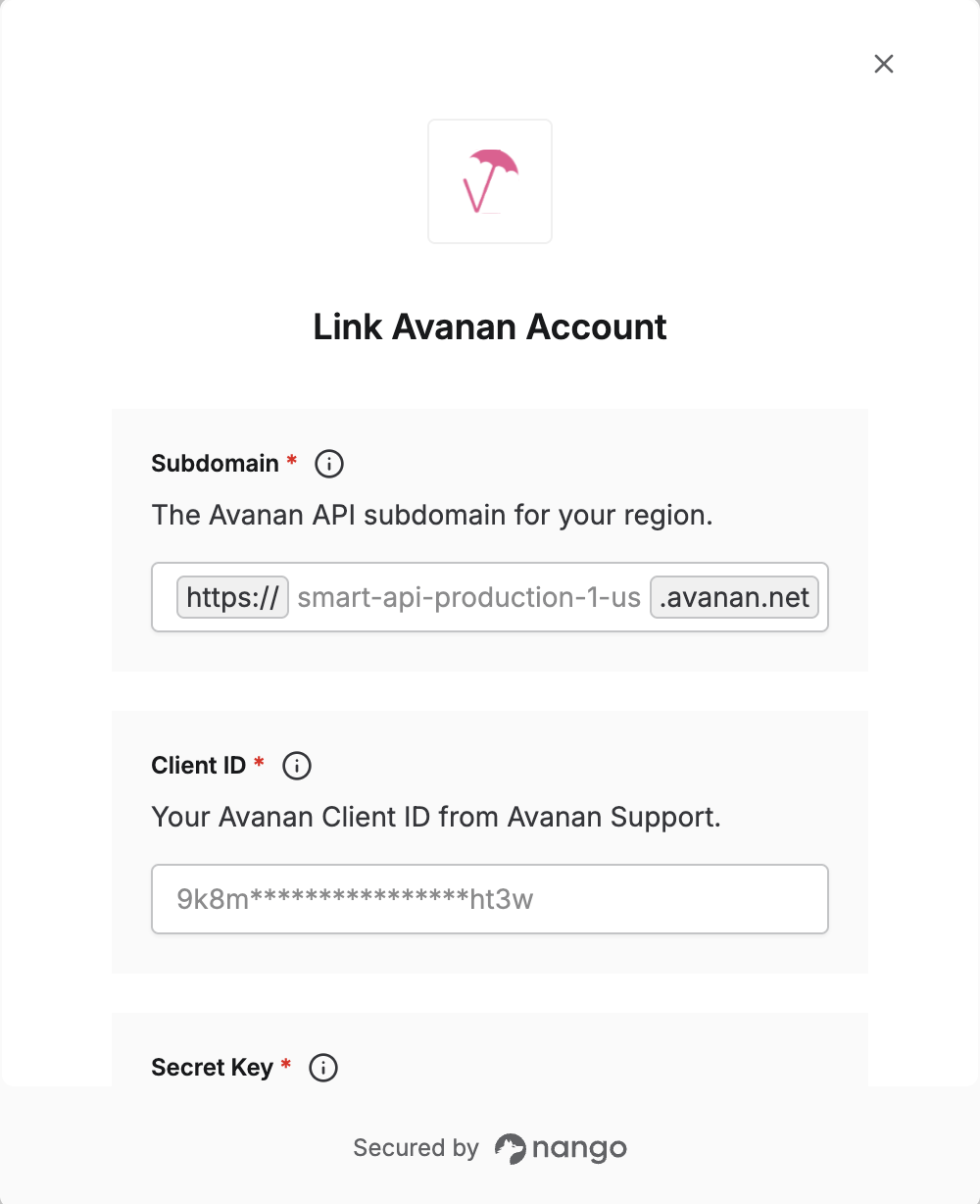
To authenticate with Avanan, you will need:- Subdomain — The subdomain for your Avanan API region (see table below).
- Client ID — Your Avanan Client ID from Avanan Support.
- Secret Key — Your Avanan Secret Key from Avanan Support.
Prerequisites:
- An Avanan account.
Instructions:
Step 1: Finding Your Subdomain
You must use the correct subdomain for your region. In Nango, enter the full subdomain from the table below (e.g.smart-api-production-1-us).
| Region | Subdomain |
|---|---|
| USA | smart-api-production-1-us |
| Europe | smart-api-production-1-eu |
| Canada | smart-api-production-1-ca |
| Australia | smart-api-production-5-ap |
| United Kingdom (UK) | smart-api-production-1-euw2 |
| United Arab Emirates (UAE) | smart-api-production-1-mec1 |
| India | smart-api-production-1-aps1 |
Step 2: Getting Your Client ID and Secret Key
- Contact Avanan Support or your Avanan representative.
- Request your Client ID and Secret Key for API access in your region.
Step 3: Enter Your Credentials in the Connect UI
Once you have your Subdomain, Client ID, and Secret Key:- Open the form where you need to authenticate with Avanan.
- Enter your subdomain, Client ID, and Secret Key in their corresponding fields.
- Submit the form to complete authentication.